The Current State of AI-Generated Movie Videos
Let's skip the hype and talk about what's actually possible right now, in early 2026.
AI video generation has hit a tipping point. We're in what the industry calls the "Year One of Industrialization"—which basically means the tech finally works well enough for real projects, not just impressive demos.
What's Actually Working Now
The Big Four: Google's Veo 3.1, OpenAI's Sora 2, Kuaishou's Kling 2.6, and ByteDance's Jimeng. These are your main options, and they've all gotten seriously good.
Physics Actually Works: Remember when AI videos had people walking through walls and objects floating randomly? That's mostly fixed. New architectures like VJEPA-2 act as "physics teachers" for these models. Gravity works. Light bounces correctly. Water flows like water.
Characters Stay Consistent: This was the killer problem—you'd generate a character and by frame 50, they'd have a different face. Technologies like "Ingredients to Video" now let you lock appearance across entire sequences. You can actually tell stories now.
Sound Comes Built-In: Veo 3.1 generates environmental audio, music, and even dialogue with accurate lip sync. No more silent footage that needs expensive post-production.
You Can Actually Direct: Text-to-video, image-to-video, style transfer, keyframe control—you have real creative control now. Some platforms even take natural language direction: "pan left, slow push-in, hold on the reaction."
The Real Numbers
-
Cost: One minute of quality AI video = single-digit dollars (was hundreds in 2024)
-
Market size: $847 million projected for 2026
-
Team size: What took 100 people in 2020 now takes 10
What Still Doesn't Work
Let's be honest about limitations:
-
Complex hand interactions (catching objects precisely)
-
Extreme physical actions (gymnastics, complex fights)
-
Very long continuous shots without some drift
-
Deepfake concerns and watermarking requirements
But for 90% of creative projects? The tech is ready.
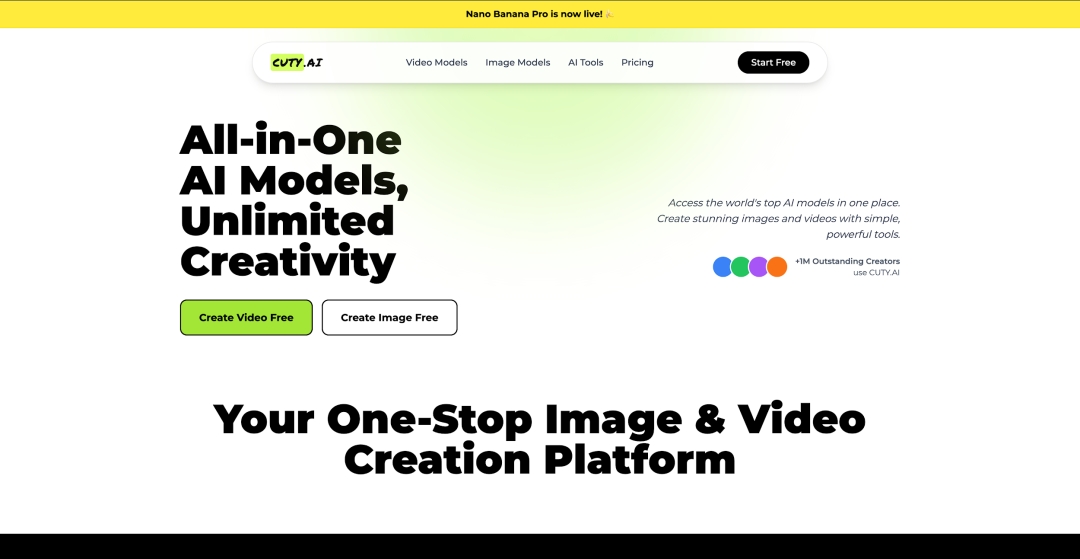
Introducing Cuty AI
Here's the problem with AI video in 2026: there are too many tools. Midjourney for images. Runway for video. ElevenLabs for voice. Different subscriptions, different interfaces, different learning curves.
Cuty AI solves this by putting everything in one place.
What Cuty AI Actually Is
It's a web-based platform that bundles all the AI creative tools you need into a single interface. Image generation, video creation, editing, enhancement—one login, one subscription, one workflow.
No code required. No technical background needed. Type what you want, click generate, iterate.
The Complete Feature List
Image Generation
-
Text to Image: Multiple models including Nano Banana, Seedream 4.0, and Flux
-
Different models = different styles (photorealistic, anime, artistic)
-
Character Generator: Optimized for consistent human faces and figures
Video Tools
-
Text to Video: Generate video directly from descriptions
-
Image to Video: Animate any still image (this is the key workflow)
-
Character Replace: Swap characters in existing footage
-
Movement Mimic: Copy motions from reference videos
-
Lip Sync: Match mouth movements to uploaded audio
Editing Suite
-
Background: Remove, blur, or replace backgrounds instantly
-
Enhancement: Upscale resolution, remove blur, add detail
-
Object Removal: Erase unwanted elements
-
Image Extender: Let AI expand beyond your frame edges
Fun Stuff
-
Face Swap: High-quality face replacement
-
AI Emoji/Graffiti: Creative generators for social content
Why Multiple Models Matter
This is Cuty's secret weapon. Different AI models have different personalities:
-
Nano Banana Pro: Best for cinematic, realistic content
-
Seedream 4.0: Great for stylized, artistic looks
-
Flux: Solid all-rounder
You can switch based on your project. Photorealistic short film? Different model than anime music video. Same platform.
Who Should Use This
-
Content creators: Fast asset generation for YouTube, TikTok, Instagram
-
Designers: Quick prototyping and inspiration
-
Hobbyists: Personal projects, photo restoration, custom avatars
-
Aspiring filmmakers: This is your entry point
Quick note: Cuty AI (cuty.ai) is for creation. Some similarly-named apps are AI chat companions. Different thing entirely.
Creating Movie Videos with Cuty AI—Step by Step
Alright, let's actually make something. Here's the exact workflow for cinematic content on Cuty AI.
Step 1: Write Your First Frame Prompt
Your video starts as a single image. Get this right and everything else gets easier.
The Formula: Subject + Action + Setting + Lighting + Style
Pro tips:
-
Mention camera terms: "wide shot," "close-up," "low angle"
-
Specify lighting: "golden hour," "harsh shadows," "neon glow"
-
Reference films or photographers you like
-
Be specific about mood: "melancholic," "tense," "hopeful"
Text to Image
Prompt
a wide cinematic shot of a quiet coastal town at dawn, soft blue hour light, empty streets still wet from night rain, a single flickering streetlamp, ocean mist rolling in, subtle film grain, 35mm film
Step 2: Select Nano Banana Pro
For cinematic work, this is your go-to model. It handles:
-
Realistic skin tones
-
Complex lighting scenarios
-
Film-like color grading
-
Detailed environments
Other models work for other styles, but for "movie look" content, start here.
Model
Nano Banana Pro The next-generation Nano Banana
Nano Banana Ultra-consistent character generation
Flux 2 Flex Enhanced typography and text rendering capabilities
Flux 2 Pro Ideal for high-quality image manipulation, style travel
Seedream 4.0 Dreamlike text-to-image generation
Flux Kontext Pro Detailed text-to-image rendering
Step 3: Choose Your Aspect Ratio
This is crucial. Do not use square format for cinematic content.
Your options:
-
21:9: Ultrawide cinematic (theatrical look)
One click. Instant film vibes.
Aspect Ratio 21:9
Resolution and Output Number
Aspect Ratio Options: Aspect Ratio Options are 1:1, 2:3, 3:2, 4:3, 3:4,16:9, 9:16, and 21:9.
Step 4: Image to Video
Once you have an image you love:
-
Go to Image to Video
-
Upload your generated frame
-
This becomes your animation's foundation
Why this workflow? Direct text-to-video is less controllable. Image-to-video lets you perfect your visual first, then add motion. Two stages = more precision.
Step 5: Write Your Motion Prompt
Now you're directing. Tell the AI what happens:
Include:
-
Character movement: "She walks slowly forward," "He turns toward camera"
-
Camera motion: "Slow push-in," "Pan right to reveal," "Static hold"
-
Environment: "Rain intensifies," "Neon sign flickers," "Crowd moves behind"
-
Emotion: "Expression shifts from neutral to determined"
Hit generate. Watch. If it's not right, refine your prompt and try again. Iteration is normal—even pros don't nail it on take one.
Why Cuty AI Is the Right Choice
Here's why Cuty AI is worth recommending to creators.
Everything in One Place
The tool-switching tax is real. Every time you export from one platform and import to another, you lose momentum. Every new interface is cognitive overhead. Every additional subscription is budget drain.
Cuty eliminates all of this. One platform. One workflow. One bill.
Model Flexibility
You're not stuck with one AI engine. Bad lighting with Model A? Try Model B. Need a different style? Switch. This flexibility would normally require multiple subscriptions to multiple platforms.
Actually Accessible
Some "professional" tools require you to learn complex interfaces or write code. Cuty's prompt-based system means anyone can use it. If you can describe what you want in words, you can make it.
But—and this matters—the output quality is still professional grade. Accessible doesn't mean dumbed down.
It Gets Better Automatically
As AI models improve, platforms like Cuty can integrate them. Your workflow stays the same even as the underlying technology advances. You're not learning a new tool every six months.
The Bottom Line
If you're serious about creating video content with AI—whether that's short films, YouTube content, social media clips, or just exploring what's possible—you need a home base.
Cuty AI is that home base. Everything you need, nothing you don't, priced for actual creators instead of studio budgets.
The tools exist. The barriers are down. The only question left is: what will you make?
Media Contact
Company Name: cuty AI
Email: Send Email
Country: United States
Website: https://www.cuty.ai